Bear Web - Sync and Trusted Devices
Return to support library
When you write or edit a note, Bear Web saves your changes to iCloud as soon as you stop typing. The sync icon in the top-right corner shows the current status.

Your changes usually reach your other devices shortly after, depending on your connection and iCloud.
What happens if Bear Web can’t reach iCloud?
It depends on whether you trust the device you’re using:
- Trusted device: Your edits are saved in the browser and sync automatically the next time Bear Web connects to iCloud, even if you close the browser in between.
- Untrusted device: A window asks if you want to save your unsynced changes as .bear files, so you don’t lose them. You can then import the files into Bear on Mac, iPhone or iPad.
On an untrusted device, your unsynced changes exist only in the open tab. Don’t close it until the sync icon shows your changes are saved.
What is a trusted device?
Normally, Bear Web asks you to sign in with your Apple ID every time you open it. If you trust a device, you stay signed in, and Bear Web keeps an encrypted copy of your notes in that browser so your edits are safe when the connection drops.
Only trust a computer that you alone use. Anyone who can open that browser can open Bear Web and read your notes. Never trust a shared or public computer.
How do I trust a device?
-
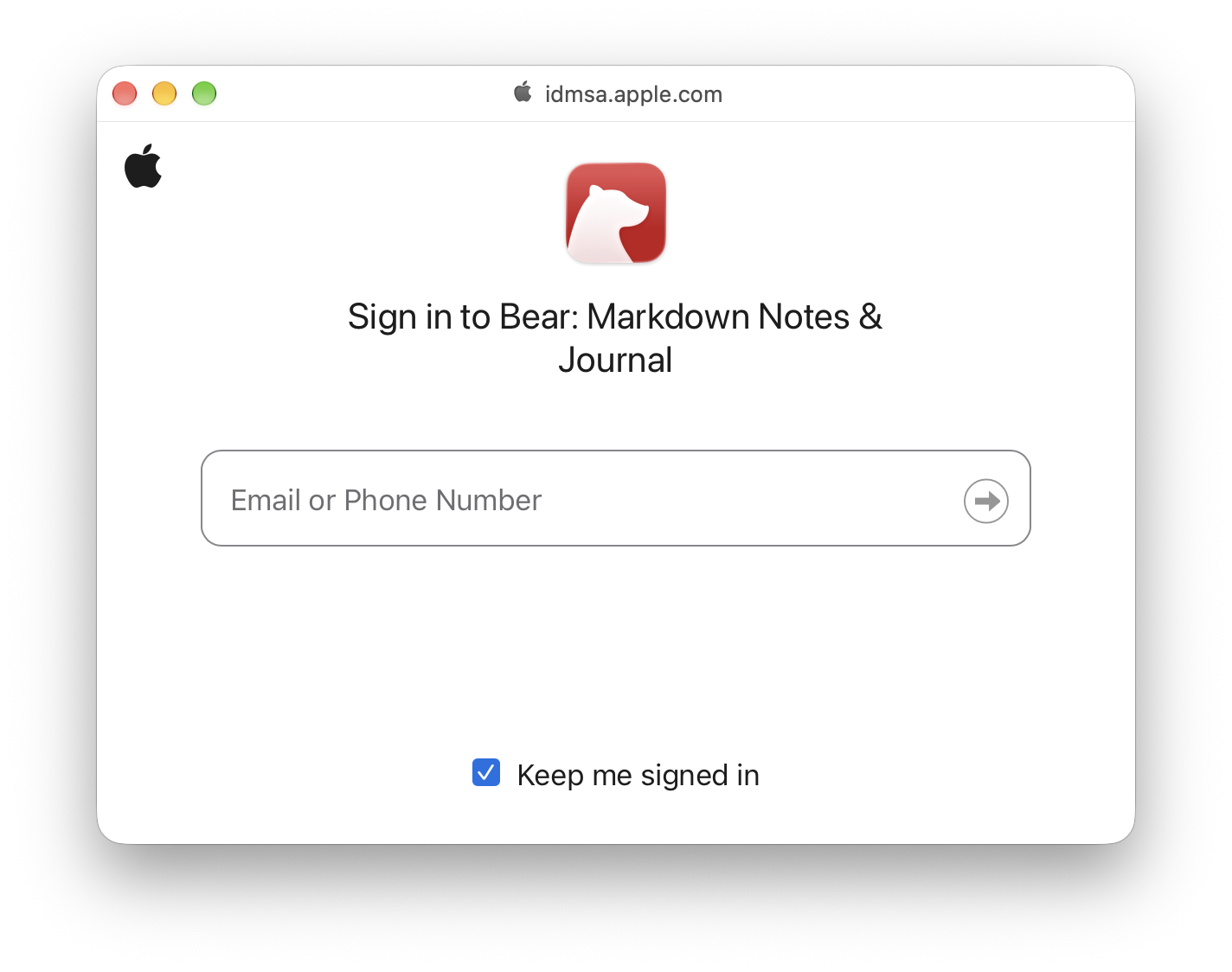
When the Apple sign-in window appears, check Keep me signed in at the bottom before entering your Apple ID and password.
-
After you sign in, click … in the sidebar and turn on Trust this device.
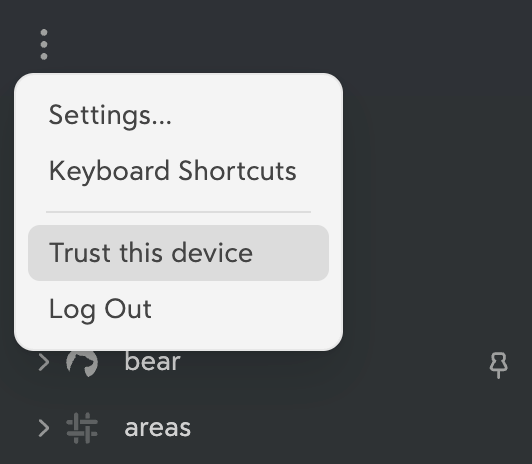
Next time you open web.bear.app in this browser, you won’t need to sign in.
Why am I asked to sign in again on a trusted device?
For your security, Apple may sometimes ask you to sign in again, even on a device you trust.
Is the local copy of my notes safe?
The local copy is encrypted and stored only in that browser. It never leaves your device, and only Bear Web uses it. It doesn’t protect your notes from someone who can use the same browser, though, so only trust devices you control.

